
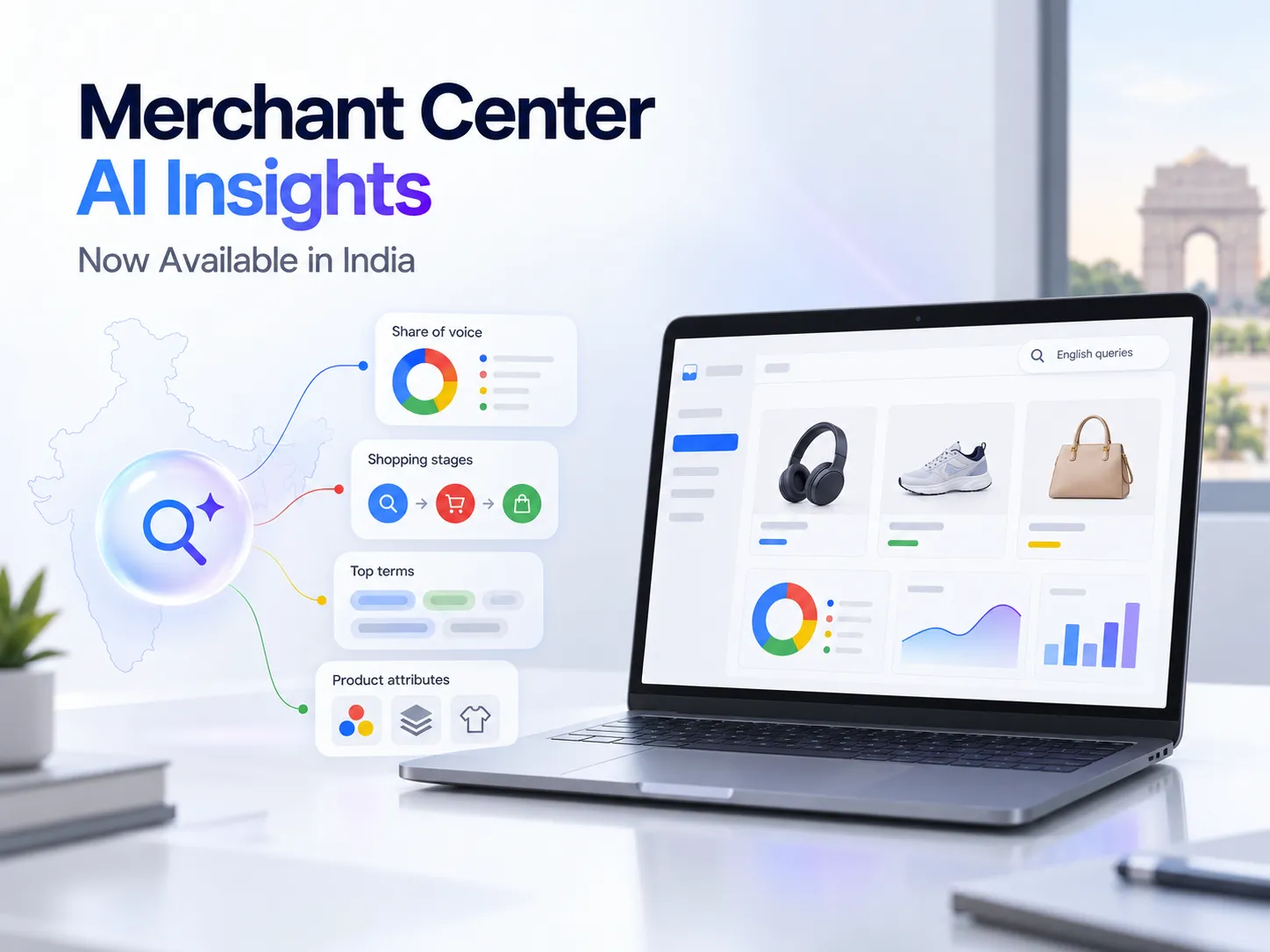
Google Merchant Center now gives Indian merchants a clearer view of how their products appear during conversational shopping searches.
Google’s current Help documentation says AI performance insights are available for English-language queries in Merchant Center accounts in India, Australia, Canada, New Zealand and the United States. The report covers conversational shopping queries on AI Mode and AI Overviews. Google Merchant Center Help: About AI performance insights
This is useful progress for e-commerce brands, but the report needs careful interpretation. It measures product visibility, search behaviour and data-completeness opportunities. It does not report sales, revenue, return on ad spend or paid Shopping campaign performance.
For Indian merchants, the real opportunity is to connect the report with product-feed corrections, stronger product pages and existing measurement tools.
Key takeaways
- Google officially announced AI performance insights on 20 May 2026.
- The live report is currently available in India for English-language queries.
- It covers conversational shopping activity on AI Mode and AI Overviews.
- The report includes share of voice, competitor benchmarks, frequency and products showing.
- Merchants can analyse discovery, evaluation and ready-to-buy shopping stages.
- The current report covers organic AI traffic, including free listings. Paid advertisements are excluded.
- Google provides filters for product category, time period, country and traffic.
- The report does not establish clicks, conversions, orders, revenue or market share.
- A high share of voice does not guarantee more traffic or sales.
- Google recommends improving relevant product terms and missing attributes, but these changes do not guarantee AI visibility.
What has Google launched?
AI performance insights is a report inside Merchant Center Analytics that shows how a brand and its products appear for conversational queries with shopping intent.
Google originally announced the feature on 20 May 2026 as part of its wider retail and AI updates. At that time, it said the tool would compare a brand’s share of voice with similar brands and would roll out across India and four other countries in the following months. Google: Retail and AI tools announced on 20 May 2026
A separate Google Help announcement published on 27 May also named India as a planned rollout country. That older page still uses forward-looking rollout language. Google Merchant Center Help: Initial AI performance insights announcement
The newer detailed Help page now states that the report is currently available in India for English-language queries. It also provides the navigation path, metrics, filters and data limitations. This newer page is the stronger source for current availability and report behaviour. Google Merchant Center Help: About AI performance insights
Is the report available in India?
Yes, Google’s current documentation lists India as an available market.
There is an important language limitation: the report currently covers English-language queries. Businesses should not assume that Hindi, Marathi or other Indian-language shopping activity is included unless Google expands and documents that coverage.
Report usefulness may also vary between accounts. Google explains that missing impressions, insufficient competitor data and the selected product category can affect what appears. An account may therefore have access without showing useful information for every category or period.
Where to find AI performance insights
Google provides the following path:
- Sign in to Google Merchant Center.
- Open Analytics from the left navigation menu.
- Select Products.
- Select the AI performance tab at the top of the page.
This navigation is confirmed on Google’s current Help page. Google Merchant Center Help: How to find the report
If the tab is visible but the report has limited data, first check the selected country, product category and time period. Google does not provide one combined report covering every product category.
What does the report measure?
The report combines four main metrics with information about shopping stages, popular terms, attributes and search intent.
| Report element | What it tells you | What it does not prove |
|---|---|---|
| Your share of voice | How frequently your brand or products appeared compared with the competitor set defined in Merchant Center | Market share, revenue share or total Google visibility |
| Competitors’ average share | Whether your visibility is above or below the average for the defined competitors | A complete view of every competitor in your market |
| Frequency | Relative popularity of search types, terms, intents or attributes | Google Keyword Planner search volume |
| Products showing | The number of your products appearing for selected terms, attributes or intents | Clicks, orders or product profitability |
| Shopping stages | Visibility across discovery, evaluation and ready-to-buy queries | Actual customer conversion stages on your website |
Google confirms these metrics and definitions in its detailed report documentation. Google Merchant Center Help: Metrics and scope filters
Your share of voice
Google calculates share of voice using your AI impressions compared with the combined impressions of your brand and the competitor set defined in Merchant Center for related queries.
Treat this as a visibility benchmark. It can show whether your products are appearing more or less often within that comparison group, but it is not the same as:
- Market share
- Search impression share from Google Ads
- Share of category revenue
- Click-through rate
- Conversion rate
- Organic ranking position
Google also warns that an account without enough defined competitor data can show a 100% share of voice. In that situation, 100% does not mean the brand dominates its market. It can mean the comparison set is missing. Merchants cannot manually change the competitors used in this report. Google Merchant Center Help: Troubleshooting and data limitations
Frequency
Frequency indicates the relative popularity of search types, terms, intents and attributes within the report.
It can help a merchant identify what customers are prioritising, but it should not be described as monthly keyword volume. Google does not say that this metric represents an exact number of searches.
Use frequency to compare opportunities inside the report. Use separate keyword research and business data when estimating broader demand.
Products showing
Products showing gives the exact number of a merchant’s products appearing for selected top terms, popular attributes or search intents.
This can reveal a catalogue-coverage problem. For example, a store may have 40 studio monitors in its feed, while only a small number appear for high-frequency queries about Bluetooth connectivity or compact home studios.
The result does not explain the complete cause. Product relevance, data quality, availability, category selection and Google’s systems may all affect visibility.
How Google classifies the shopping journey
The report groups conversational shopping queries into three stages:
Discovery
The customer is exploring general options.
Examples could include:
- “Good studio monitors for a small bedroom”
- “Comfortable walking shoes for daily use”
- “Beginner-friendly ukulele for adults”
Evaluation
The customer is comparing products, specifications or reviews.
Examples could include:
- “3-inch versus 4-inch studio monitors”
- “Cotton or linen shirt for humid weather”
- “Best headphones with replaceable ear pads”
Ready to buy
The customer’s query suggests that a purchase is close.
Examples could include:
- “Buy black studio headphones under ₹5,000”
- “Women’s linen shirt size M available online”
- “Portable speaker with microphone input in stock”
Google uses share of voice and search types to show how a brand performs at these stages. These classifications describe query intent inside the report. They should not be treated as confirmed purchases or website conversions. Google Merchant Center Help: Shopping-stage performance
Top terms, popular attributes and search intents
The actionable part of the report contains three opportunity areas.
Top terms
Top terms show the product language shoppers are prioritising in conversational queries.
Suppose an electronics listing uses only a model name, while shoppers repeatedly look for a “portable speaker with microphone input.” The merchant can review whether the title and description clearly communicate that verified feature.
The goal is clarity, not repeating every popular phrase. Product titles should remain accurate and readable.
Popular attributes
Popular attributes show specifications such as size, colour or material that customers are looking for and that may be absent from product data.
For a fashion store, this might reveal missing fabric, colour or size information. For a musical-instrument retailer, relevant fields may include product type, dimensions, connectivity, finish or compatible equipment.
Only add an attribute when it accurately describes the product. Incorrect data may create a mismatch between the feed, product page and actual item.
Top search intents
Top search intents reveal the context behind conversational queries.
Two shoppers may use similar product terms but want different information. One may be comparing specifications, while another wants reviews or is ready to buy. Understanding that difference can help a brand improve product-page content, buying guides and comparison information.
Google recommends adding relevant terms to product titles and descriptions, completing missing attributes and reviewing the report regularly. Google Merchant Center Help: AI performance best practices
What the report does not show
The current documentation does not identify the following as AI performance report outputs:
- Website clicks
- Sessions
- Add-to-cart events
- Leads
- Orders
- Conversion rate
- Revenue
- Profit
- Return on ad spend
- Customer lifetime value
- Exact transcripts of every customer query
The traffic filter currently covers organic AI activity, such as free listings. Paid Ads traffic is excluded. Businesses should not use this report to assess Performance Max, Shopping Ads or Google Ads return on investment. Google Merchant Center Help: AI report traffic scope
Google’s initial May preview mentioned product discovery across AI Mode, AI Overviews and Gemini. The current detailed report page defines live reporting specifically around AI Mode and AI Overviews. Merchants should follow the live report labels and avoid assuming identical reporting across every Google AI surface.
The Vertex Social S.I.G.N.A.L. review
The following workflow is a Vertex Social recommendation, not an official Google framework.
S: See access and scope
Open the report and record:
- Available countries
- Product category
- Selected period
- Traffic type
- Language limitation
- Data-update date
Google says historical data is available and updated daily with a lag of a few days. Avoid judging a recent change using incomplete data. Google Merchant Center Help: Data availability
I: Inspect visibility carefully
Compare your share of voice with the competitors’ average, then check whether the competitor set is meaningful.
A high percentage with insufficient competitor data is not a reliable reason to stop improving the feed. A low percentage identifies an area for investigation, not proof of a technical problem.
G: Group search intent
Separate discovery, evaluation and ready-to-buy patterns.
This helps determine what type of content may be missing:
- Discovery queries may need category explanations or buying guides.
- Evaluation queries may need specifications, comparisons and compatibility details.
- Ready-to-buy queries may need accurate price, availability, delivery and variant information.
N: Name missing terms
Compare top terms with:
- Product titles
- Descriptions
- Product types
- Category pages
- Product-page headings
- Specification tables
- Buying guides
Add terms only when they describe the product accurately. Avoid turning a product title into an unreadable list of search phrases.
A: Add useful attributes
Prioritise high-frequency attributes that are relevant but missing.
Check that each value matches across:
- Merchant Center
- The primary feed
- Product variants
- Structured data
- The visible product page
- Checkout availability
A feed that says “black” while the landing page opens a blue variant creates a poor customer experience and may lead to data-quality problems.
L: Link visibility with business outcomes
Use the AI report with the rest of the measurement system.
| Tool or data source | Main question it helps answer |
|---|---|
| Merchant Center AI performance | Are products appearing for conversational shopping activity? |
| Search Console | Which Google Search queries and pages receive organic impressions and clicks? |
| GA4 or website analytics | What do visitors do after reaching the website? |
| Google Ads | How are paid Shopping and other advertising campaigns performing? |
| E-commerce platform | Which products generate orders, revenue, cancellations and returns? |
| Sales or support data | Which enquiries are useful and what information customers need? |
The AI report identifies visibility patterns. The wider measurement system shows whether product discovery leads to useful business outcomes.
Practical examples for Indian e-commerce brands
Musical-instrument retailer
A studio monitor listing may mention only its model number and cabinet size.
If AI insights show frequent searches around Bluetooth support, input types, room size and home-studio use, the retailer can check whether those verified details appear in the feed and product page.
Do not add Bluetooth as an attribute if the model does not support it. Accuracy is more important than appearing for an unrelated term.
Fashion store
Customers may search by fabric, fit, colour, occasion and size.
If popular attributes show that material information is frequently requested, the business can complete the correct material field and make the fabric details easier to find on the product page.
The same values should remain consistent across every size and colour variant.
Consumer-electronics brand
A merchant may notice strong discovery visibility but weak ready-to-buy visibility.
Before assuming there is a ranking issue, review whether the feed and website provide:
- Current price
- Stock status
- Delivery conditions
- Warranty information
- Variant choices
- Technical specifications
- Clear product images
- Working purchase actions
Mumbai retailer selling online
A Mumbai shop with a national e-commerce catalogue can use Merchant Center AI insights to improve product discovery.
It will still need separate tools for local store visibility, directions, calls and nearby searches. Merchant Center AI performance insights do not replace Google Business Profile, local SEO or location-based advertising.
What to do if the report has limited data
First check the report filters. A category-specific view may show less information than expected because Google does not provide one report covering all product categories.
Google explains several report states:
- A share-of-voice value of 0 can mean the account lacks sufficient impressions.
- A dash means there is no impression data.
- 0 products showing means none of the merchant’s products appeared for that view.
- 100% share of voice alongside insufficient competitor data can mean no competitors are available for comparison.
- Competitors are defined through the available Merchant Center competitor set and cannot be changed manually.
These limitations should be reviewed before drawing conclusions from a single percentage. Google Merchant Center Help: Report troubleshooting
Even when data is limited, merchants can prepare by improving product accuracy, resolving feed diagnostics, completing relevant attributes and keeping prices and availability aligned with the website.
What Indian businesses should avoid
- Do not claim the report covers every Indian-language query.
- Do not describe share of voice as market share.
- Do not treat frequency as exact keyword search volume.
- Do not use the report to calculate paid-ad performance.
- Do not assume 100% share of voice means category leadership.
- Do not add popular terms that do not describe the product.
- Do not stuff product titles with repetitive phrases.
- Do not create attributes that the product does not have.
- Do not update the feed while leaving conflicting information on the website.
- Do not judge changes using only a few days of delayed data.
- Do not expect the report to replace Search Console, website analytics, Google Ads or sales records.
- Do not promise that better attributes will guarantee AI inclusion, clicks or sales.
Frequently asked questions
Is Merchant Center AI performance available in India?
Google’s current Help page says it is available for English-language queries in Merchant Center accounts in India. The same page also lists Australia, Canada, New Zealand and the United States.
Does the report include Indian-language queries?
The current availability statement specifies English-language queries. Google does not confirm coverage for Hindi, Marathi or other Indian languages on the reviewed page.
Does share of voice show market share?
No. It compares AI impressions for your brand or products with a Merchant Center competitor set for related queries. It does not represent revenue or total market share.
Does the report include Shopping Ads or Performance Max?
The current traffic scope is limited to organic AI traffic, such as free listings. Google says paid-ad traffic is not included.
Can product-feed improvements guarantee more AI visibility?
No. Accurate terms and complete attributes can improve product data, and Google recommends working on them, but it does not promise visibility, rankings, clicks or sales.
How often is the information updated?
Google says historical data is available and the report is updated daily with a lag of a few days.
What Indian merchants should do next
Check the report before making broad catalogue changes. Choose one important product category, identify high-frequency terms and missing attributes, and compare those findings with the feed and product pages.
Correct verified gaps first. Keep product titles readable, maintain consistent prices and availability, and measure website behaviour and sales through the appropriate tools.
Vertex Social can help businesses review Merchant Center data, product feeds, e-commerce pages and measurement systems together, so the report leads to a prioritised correction plan instead of disconnected changes.